Three questions in one
“Password-protect an HTML file” usually means one of three things:
- Can the file protect itself? Not really. Whatever checks the password sits inside the file, next to what it protects.
- Can a link to the page ask for a password? Yes, when the server checks it before sending the page. That’s what a secret code does.
- Can I know who got in? Not with a password everyone shares. For names, people have to sign in.
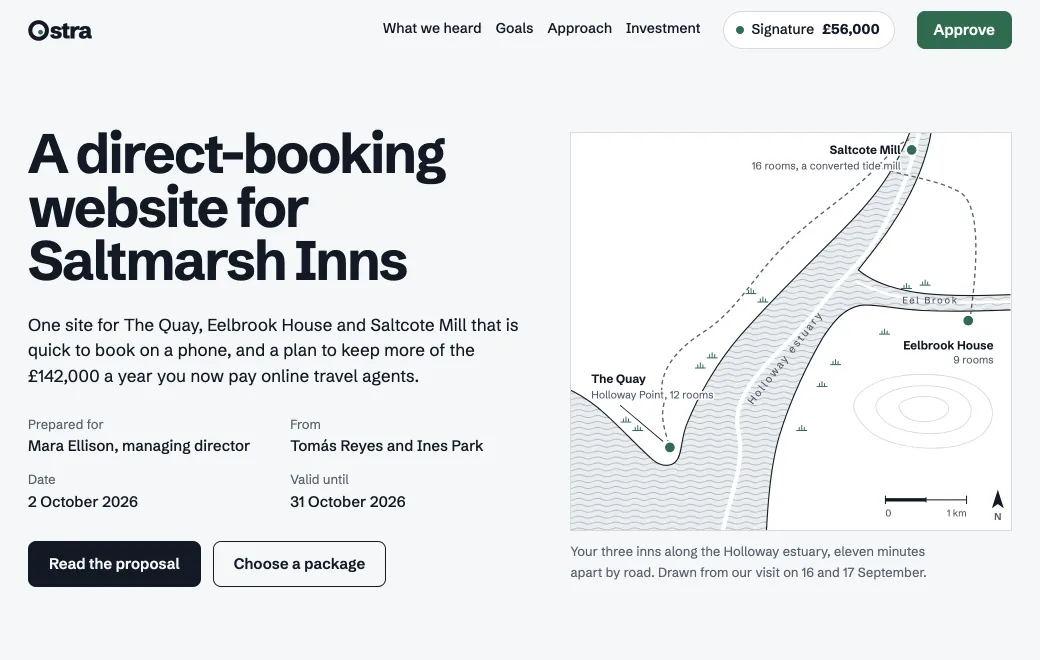
Ostra Studio’s proposal below holds prices, terms and the client’s own booking figures, so the studio shares it with a secret code that expires in 30 days. Here it opens without the code, so you can try the packages yourself.
Why a password inside the page only hides it
A page that checks a password with its own script has to send the browser both the check and the content. The browser downloads both before the visitor types a letter. Anyone who opens the page source, or the browser’s developer tools, can read the content or switch the check off.
A stronger version encrypts the content inside the file, so the source shows scrambled text until the right password unlocks it. The file still travels whole, though. Anyone with a copy can keep guessing on their own computer, for as long as they like, and nobody can change the password on copies already sent.
Neither lets you take the password back. Copies already sent keep opening with it for as long as they exist, and changing it means sending everyone a new file.
What a check on the server changes
The alternative is to keep the page on a server that asks for the code first. On artifact.guru, a link shared with a Secret code opens to a code screen. The server checks the code before it sends any part of the page. Until the code matches, the browser gets no text, images or scripts at all.
- Nothing arrives early. The page and its files are sent only after the code matches. The addresses of those files are signed and expire, so copying one out of the page doesn’t create a lasting link.
- Guessing doesn’t pay. After about ten tries in a minute, the code screen says “Too many tries” and makes the visitor wait a minute. Each link also has its own limit across all visitors.
- You can change it. New code replaces the code at once. Anyone who knows only the old one is locked out, and the link stays the same.
- It can run out. A code lasts 7 days, 30 days or until you replace it.
- It stays out of search. Shared pages ask search engines not to index them.
The code itself
A code looks like KM7Q-4XPA, eight letters and digits without look-alikes such as 0 and O. Visitors can type it in lowercase, with or without the dash.
| Expires | Good for |
|---|---|
| in 7 days | A draft for this week’s review, or a quote that’s only valid for a few days |
| in 30 days | A proposal with a decision date, or this quarter’s board pack |
| never | A page people return to, such as brand guidelines. Replace the code when someone leaves. |
Choosing Secret code creates a code that never expires. For one that does, pick in 7 days or in 30 days under Expires, then choose New code. Each new code starts its own clock, and it never expires unless you pick a time first.
Send the code separately from the link, for example the link by email and the code by text message or chat. Then if one message lands in the wrong place, it’s no use on its own.
What the visitor sees
On a phone, the link opens to a card that says “Enter the code”, with one line beneath it: “Whoever shared this link sent you a code separately.” The visitor pastes the code and taps Open. A wrong code shakes the field and says “That code doesn’t match.”
Then the page opens full size. With controls on, a slim bar at the top holds the title, Copy link and Download. The browser remembers the code for that link for up to 30 days, so a client who comes back next week isn’t asked again. After New code, everyone is asked for the new one.
Pasted into a chat, the link shows a plain “Protected link” card that says “Enter the code to open it”, without the page’s title.
A code can be forwarded
A secret code is a shared secret. A client who forwards your email, code included, has let the next person in, and the code screen can’t tell them apart. On code links, Views shows counts, such as views and daily visitors, but no names.
For many documents that’s fine. A website draft is meant to reach the client’s whole team, and a board pack goes to directors who’d rather not make accounts. Forwarding is only a problem when a document is meant for named people.
When to use Email sign-in instead
Switch the link to Email when either of these is true:
- You need names in Views. Invited people sign in with the address you invited, so Views lists each of them, with how often and when they opened it. It also shows who hasn’t opened it yet.
- You may need to remove one person. Remove their address and only they are locked out. With a code, the only way to stop one person is a new code for everyone.
Invitees sign in with a one-time code sent to the invited address, with no password. Someone new creates an account in the same step, without buying a plan. A person the link was forwarded to can’t sign in with an invited address, so it won’t open for them.
| Secret code | Private | ||
|---|---|---|---|
| Who gets in | Anyone with the link and the code | The addresses you invite, up to 50 | Your workspace |
| Account needed | No | Yes, made in the same step with a one-time email code | Yes, as a member |
| A forwarded link opens | Yes, with the code | No | No |
| Names in Views | No, counts only | Yes, and who hasn’t opened it | Yes |
| Remove one person | Make a new code for everyone | Remove their address | Remove them from the team |
| Ends on its own | After 7 or 30 days, or never | No | No |
| Opens on your own domain | Yes | No, on artifact.guru | No, on artifact.guru |
| Pasted into a chat | “Protected link” | “Invite-only link” | “Private link” |
Put an HTML file behind a code
In the browser:
- Upload the file
Sign in to artifact.guru and drop the
.htmlfile on your workspace, or use Upload files. For a site with several files, drop the folder or a.zip. It starts Private. - Choose Secret code
Open the artifact, choose Share, then Secret code. A code appears, with a copy button.
- Set when it expires
Pick in 7 days, in 30 days or never under Expires, then choose New code.
- Send the link, then the code
Copy the link into your email, and send the code in a separate message.
If you’ve connected artifact.guru to an agent, you can ask for all of it at once, and it replies with the link and the code. Agents change sharing only when asked, so say plainly that you want a code.
Publish proposal.html to artifact.guru. Then share it with a new secret
code that expires in 30 days, and give me the link and the code.
To lock out the old code later, say “Make a new secret code for the Saltmarsh proposal that expires in 30 days.”
When you don’t need artifact.guru
- The page holds nothing private. Any public host, or a Public link, is simpler than a code.
- You already run a web server. Its own password protection also checks before sending the page, and does the job for a single page.
Limits
- One code per link, shared by everyone who opens it. There are no per-person codes.
- No watermarks, NDA gate or download blocking. Switching off Show controls hides the Download button, but anyone who can open a page can save it or read its source.
- No alert when someone enters the code. Check Views when you want to know.
- A new code stops the link, not copies people already saved.