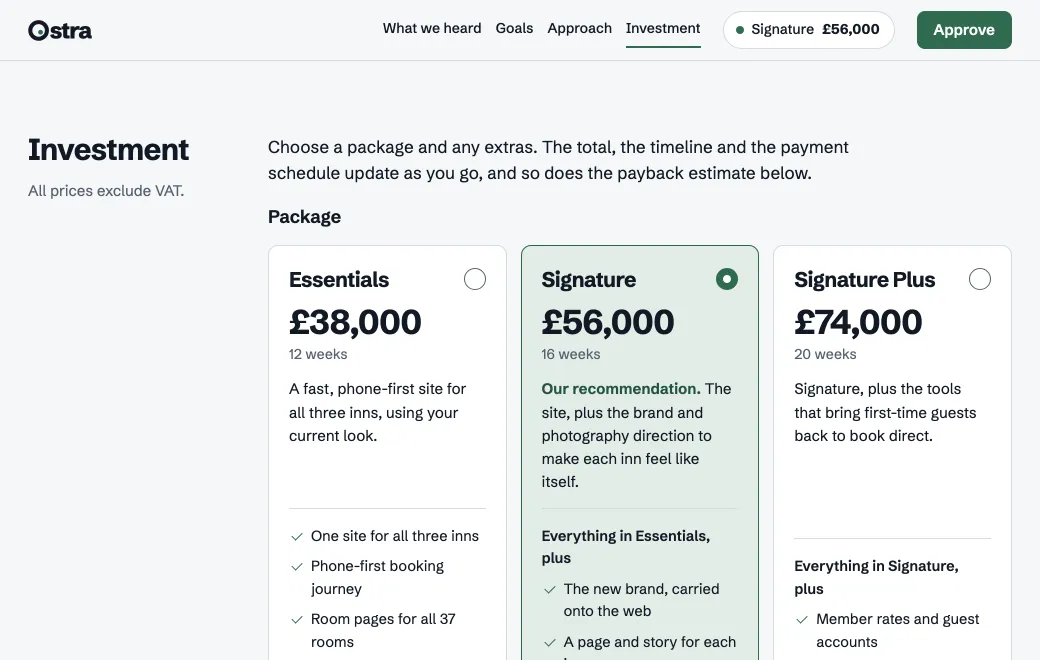
Why estimates stall
An estimate usually arrives as one number in a PDF. The client can’t see what drives it, so they ask for three variations, each one a new spreadsheet and a new attachment. By the third round nobody is sure which total is current.
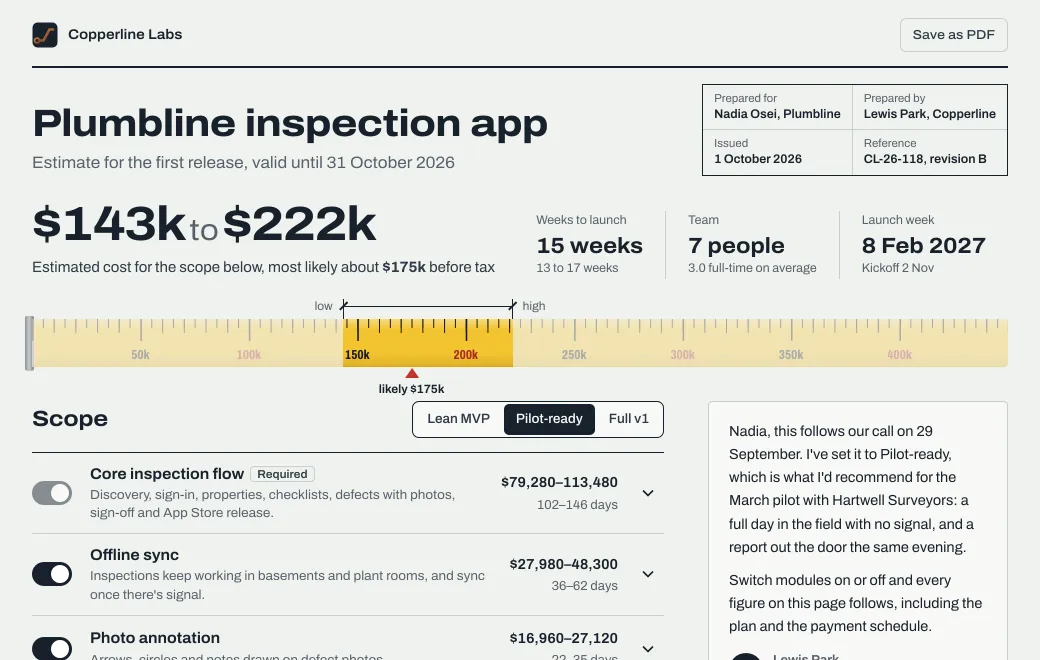
An estimate page shows its work. The one above prices Plumbline’s MVP module by module, with the effort for each role. Before the call, the client can compare Lean MVP with Full v1 and arrive ready to decide.
How it works
- Start from your real numbers
Give your agent the scope and the effort per role, along with your day rates and assumptions. A spreadsheet export or a pasted table is enough.
- Ask for a page with the math in it
The client should be able to switch modules on and off and see a low, likely and high cost. The timeline moves with the scope, and payment milestones follow the likely total. Ask the agent to check that every total adds up.
- Publish and share
Publish it Private, check it, then invite the client by email. Invited people sign in with that address, so Views shows exactly who opened it.
- Update after the call
“Make SSO optional and move the start to February.” The estimate changes at the same link, and the previous version stays in your history.
Show a range, and say what moves it
A single number reads as a promise. For each module, give the low and high effort, and say in one plain sentence what makes it uncertain.
| Module | What widens the range |
|---|---|
| Offline sync | How many records an inspector edits offline, and how conflicts are resolved |
| PDF reports | Whether the client’s current report layout is final |
| Single sign-on | Which identity provider, and whether their IT team is available |
Every revision is on record
Each change is a new version of the same artifact, with a message saying what changed. If the client asks “what did the first estimate say?”, open the Versions list to check, or roll back for a moment and then forward again.
Limits
- The page has no server, so approvals go out by email or to a form service you use.
- Keep your contract and invoices in the tools you already use.